
Palatinate Musicians' Museum

Palatinate Musicians' Museum
© Oliver Albert


© Oliver Albert
© Oliver Albert

Economic reasons in particular drove many Palatinate residents to emigrate in the 18th and 19th centuries.

But social upheavals, the failure of the freedom movement in 1848, crop failures and famine, as well as structural changes in the skilled trades due to mechanization and industrialization also prompted many thousands to leave their homeland and seek their fortune in a foreign country.

The Emigration Museum in Oberalben analyzes the motivations and history of Palatinate emigrants who worked as linen weavers.
© Oliver Albert

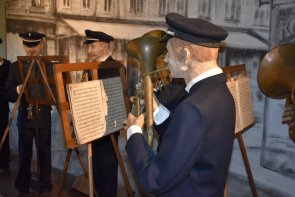
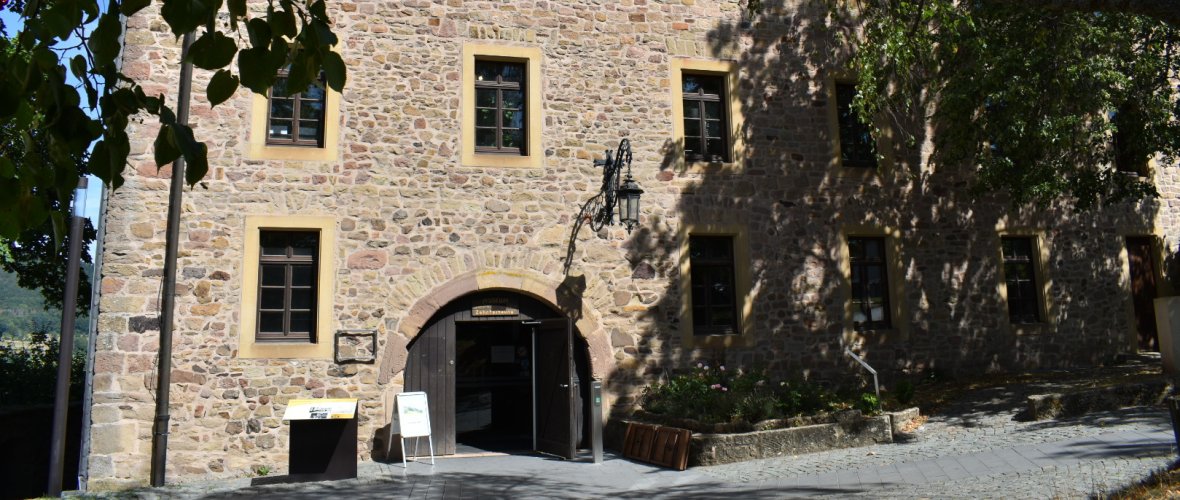
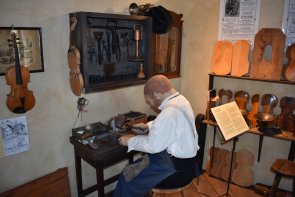
The Palatinate Musician Museum at Lichtenberg Castle highlights the unique tradition of itinerant musicians in the Palatinate with realistic scenes from the history of traveling musicians.

In the past, music provided many (musician) families with a livelihood and was an important economic factor in the Western Palatinate. During the heyday of itinerant musicianship, an estimated 2,500 people were on tour.

Many also became famous in their new homeland through their music, such as Georg Drumm from Erdesbach, who composed “Hail America” in 1917.

This song is still played today at official events, such as the inauguration of the new US president.
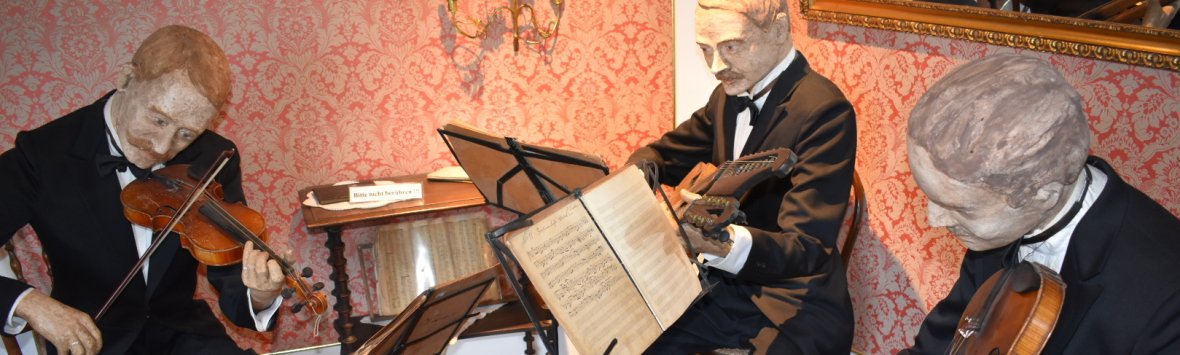
© Oliver Albert


Opening hours

From April 1st to October 31st, daily from 10 a.m. to 5 p.m.
From November 1st to March 31st, daily from noon to 5 p.m.

The museum is closed on Mondays.

Burgstr. 16
66871 Thallichtenberg

Assistance for Accessibility

  • General

    We are committed to making our websites accessible. Details can be found in our Accessibility Statement. You can provide suggestions for improvement to us through our Report Barrier feedback form.

  • Font Size

    To adjust the font size, please use the following keyboard shortcuts:

    Bigger

    ⌘command
    +

    Smaller

    ⌘command
    –

    Bigger

    Ctrl
    +

    Smaller

    Ctrl
    –
  • Keyboard Navigation

    Use TAB and SHIFT + TAB to navigate through next/previous links, form elements, and buttons.

    Use ENTER to open links and interact with elements.

  • Contrast mode

    Drücken Sie die folgende Tastenkombination, um den Kontrast zu verringern bzw. zu vergrößern:

    Increase

    ⌃control
    ⌥option
    ⌘command
    .

    Decrease

    ⌃control
    ⌥option
    ⌘command
    ,
    Note: The shortcuts must be enabled in the system settings of the operating system.

    Press the left ALT key + left SHIFT key + PRINT to quickly turn on or off the high contrast mode

  • Invert colors

    Press the following key combination to turn on and off color inversion:

    ⌃control
    ⌥option
    ⌘command
    8
    Note: The shortcuts must be enabled in the system settings of the operating system.

    Press the left ALT key + left SHIFT key + PRINT to quickly turn on or off the high contrast mode

    1. Screen magnifier

    +

    2. Invert colors

    Ctrl
    Alt
    I
  • Screen magnifier

    Press the following key combinations to use the screen magnifier:

    Enable/disable

    ⌥option
    ⌘command
    8

    Zoom in view

    ⌥option
    ⌘command
    =

    Zoom out view

    ⌥option
    ⌘command
    –
    Note: The shortcuts must be enabled in the system settings of the operating system.

    Activate screen magnifier / zoom in view

    +

    Zoom out view

    –

Choose a language