
Herrmannsberger Hiking Tours

Herrmannsberger hiking tours

There are three hiking tours around the Herrmannsberg, which are suitable for 

families as well as experienced hikers.
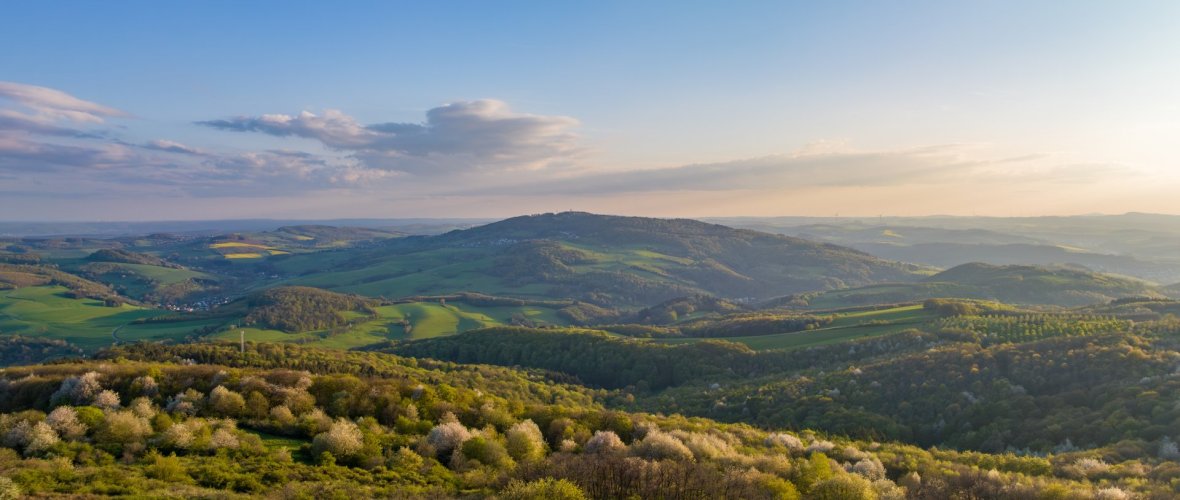


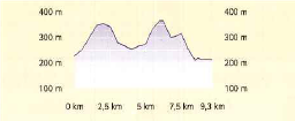
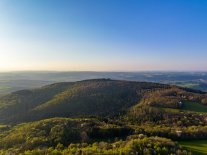
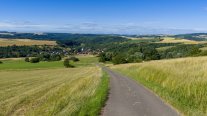
The panoramic tour, at 9.3 km the family-friendly tour, leads along the romantic meadows of the Horschbach stream with views of the imposing Herrmannsberg. At the same time, hikers can also enjoy a magnificent panoramic view of Königsberg, Königsland and Glantal.
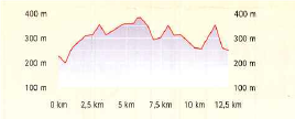


At 12.5 km in length, the Roman tour is the "tour for everyone" and leads along the romantic meadows of the Sachsbach stream through the Herrmannsberg. On the former Roman road, you can enjoy a magnificent view from the "Mayen" hill of the imposing Herrmannsberg, the Glantal valley as well as the Königsland and Königsberg.
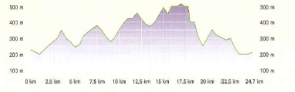


With a length of 24.7 km, the Herrmannsberg tour is the "day tour for experienced hikers" and runs around the Herrmannsberg, through partly untouched and romantic landscapes with wonderful panoramas and views of the Herrmannsberg, the Königsberg and the Königsland as well as the Glan valley.  


All tours lead through the three Herrmannsberg communities of Elzweiler, Horschbach and Welchweiler with refreshment stops and children's playgrounds along the way. The routes can also be combined with each other and are equally suitable for Nordic walking and mountain or trekking bike tours.


Every year in spring there is also a culinary hike around the Herrmannsberg. Information on this can be found under Wandertouren - Elzweiler or Herrmannsberger Wandertouren – Ortsgemeinde Horschbach
Layout 1

Assistance for Accessibility

  • General

    We are committed to making our websites accessible. Details can be found in our Accessibility Statement. You can provide suggestions for improvement to us through our Report Barrier feedback form.

  • Font Size

    To adjust the font size, please use the following keyboard shortcuts:

    Bigger

    command
    +

    Smaller

    command

    Bigger

    Ctrl
    +

    Smaller

    Ctrl
  • Keyboard Navigation

    Use TAB and SHIFT + TAB to navigate through next/previous links, form elements, and buttons.

    Use ENTER to open links and interact with elements.

  • Contrast mode

    Drücken Sie die folgende Tastenkombination, um den Kontrast zu verringern bzw. zu vergrößern:

    Increase

    control
    option
    command
    .

    Decrease

    control
    option
    command
    ,
    Note: The shortcuts must be enabled in the system settings of the operating system.

    Press the left ALT key + left SHIFT key + PRINT to quickly turn on or off the high contrast mode

  • Invert colors

    Press the following key combination to turn on and off color inversion:

    control
    option
    command
    8
    Note: The shortcuts must be enabled in the system settings of the operating system.

    Press the left ALT key + left SHIFT key + PRINT to quickly turn on or off the high contrast mode

    1. Screen magnifier

    +

    2. Invert colors

    Ctrl
    Alt
    I
  • Screen magnifier

    Press the following key combinations to use the screen magnifier:

    Enable/disable

    option
    command
    8

    Zoom in view

    option
    command
    =

    Zoom out view

    option
    command
    Note: The shortcuts must be enabled in the system settings of the operating system.

    Activate screen magnifier / zoom in view

    +

    Zoom out view

Choose a language