

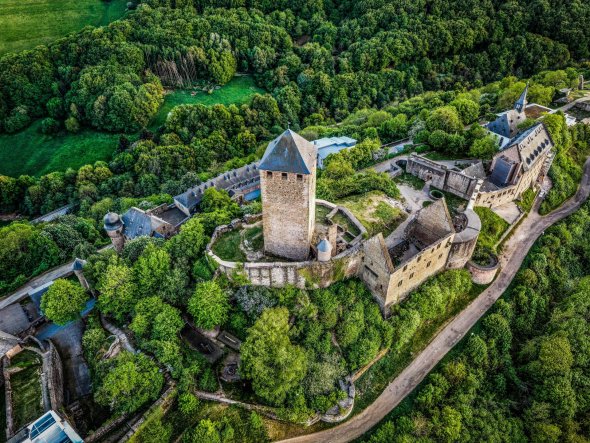
Lichtenberg Castle

Lichtenberg Castle

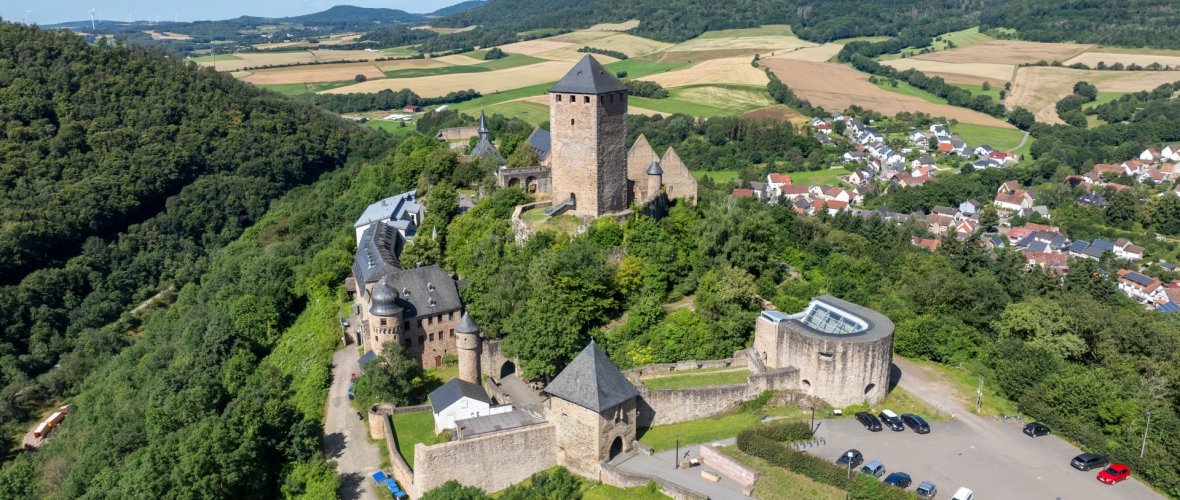
The barrier-free Lichtenberg Castle, at 425 m long, is one of the longest castle ruins in Germany and the largest castle complex in the Palatinate, and is open to the public all year round.

Inside, you will find two museums (the Palatinate Musicians' Museum and Geoskop), as well as a restaurant and a modern youth hostel.

The origins of Lichtenberg Castle, which formerly consisted of two separate castle complexes, date back to the year 1200.

However, the construction of the fortress was a clear violation of the building regulations of the time. The Counts of Veldenz, who were appointed as secular protectors of the Benedictine monastery of St. Remy, which belonged to the Diocese of Reims, and the surrounding lands, did not have permission to build a castle on the bishops' property. They did so anyway because they wanted to guard the land not only on behalf of the church, but also for themselves.

It was never conquered or destroyed by attack and was the only undestroyed castle in the Palatinate after the War of the Palatinate Succession.

The castle has been a listed building since 1895.

The Land(lieben) project allows you to take a digital 360° tour of the castle and offers a wealth of background information in the form of info texts, images, and audio and video formats. This can be accessed at any time via the installed digital infotainment system or with a smartphone or tablet using QR codes located on the castle grounds.

We hope you enjoy exploring and discovering!

!


Burgstr. 16
66871 Thallichtenberg 


Assistance for Accessibility

  • General

    We are committed to making our websites accessible. Details can be found in our Accessibility Statement. You can provide suggestions for improvement to us through our Report Barrier feedback form.

  • Font Size

    To adjust the font size, please use the following keyboard shortcuts:

    Bigger

    command
    +

    Smaller

    command

    Bigger

    Ctrl
    +

    Smaller

    Ctrl
  • Keyboard Navigation

    Use TAB and SHIFT + TAB to navigate through next/previous links, form elements, and buttons.

    Use ENTER to open links and interact with elements.

  • Contrast mode

    Drücken Sie die folgende Tastenkombination, um den Kontrast zu verringern bzw. zu vergrößern:

    Increase

    control
    option
    command
    .

    Decrease

    control
    option
    command
    ,
    Note: The shortcuts must be enabled in the system settings of the operating system.

    Press the left ALT key + left SHIFT key + PRINT to quickly turn on or off the high contrast mode

  • Invert colors

    Press the following key combination to turn on and off color inversion:

    control
    option
    command
    8
    Note: The shortcuts must be enabled in the system settings of the operating system.

    Press the left ALT key + left SHIFT key + PRINT to quickly turn on or off the high contrast mode

    1. Screen magnifier

    +

    2. Invert colors

    Ctrl
    Alt
    I
  • Screen magnifier

    Press the following key combinations to use the screen magnifier:

    Enable/disable

    option
    command
    8

    Zoom in view

    option
    command
    =

    Zoom out view

    option
    command
    Note: The shortcuts must be enabled in the system settings of the operating system.

    Activate screen magnifier / zoom in view

    +

    Zoom out view

Choose a language