
Altenglan


Altenglan Sports and Leisure Pool

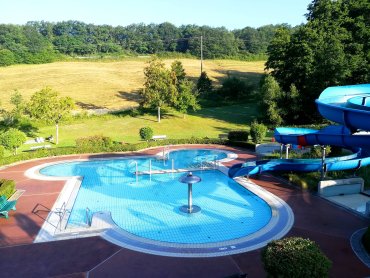
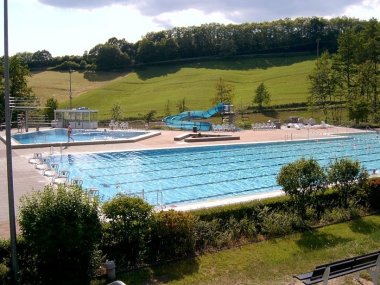
The Altenglan sports and leisure pool covers a total area of 21,600 m2, where water lovers can enjoy themselves in the multi-purpose pool (833 m2), diving pool (155 m2), and play and fun pool (180 m2). The 86 m² children's paddling pool is available for little water lovers. Numerous water attractions and play facilities are available. The 8,000 m² sunbathing lawn is ideal for relaxing.


The kiosk tenant takes care of your physical well-being and ensures you have a pleasant stay on the outdoor terrace.
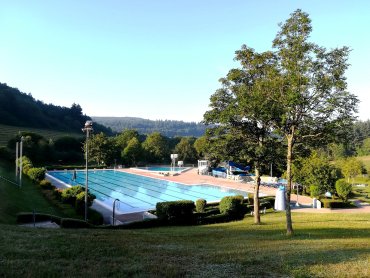
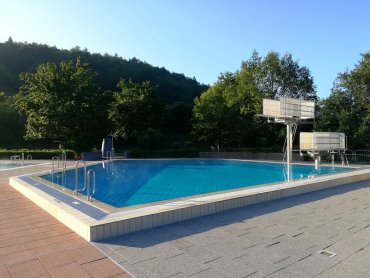
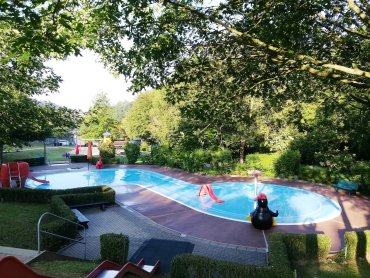
The following pools are available to you:

Layout 1

We also offer:

  • heated pools
  • a large children's playground near the paddling pool
  • Kiosk with terrace
  • heated changing room building
  • Wheelchair access to the pool
  • outdoor chess
  • Free parking spaces


Opening hours:

END OF SEASON 2025


Assistance for Accessibility

  • General

    We are committed to making our websites accessible. Details can be found in our Accessibility Statement. You can provide suggestions for improvement to us through our Report Barrier feedback form.

  • Font Size

    To adjust the font size, please use the following keyboard shortcuts:

    Bigger

    command
    +

    Smaller

    command

    Bigger

    Ctrl
    +

    Smaller

    Ctrl
  • Keyboard Navigation

    Use TAB and SHIFT + TAB to navigate through next/previous links, form elements, and buttons.

    Use ENTER to open links and interact with elements.

  • Contrast mode

    Drücken Sie die folgende Tastenkombination, um den Kontrast zu verringern bzw. zu vergrößern:

    Increase

    control
    option
    command
    .

    Decrease

    control
    option
    command
    ,
    Note: The shortcuts must be enabled in the system settings of the operating system.

    Press the left ALT key + left SHIFT key + PRINT to quickly turn on or off the high contrast mode

  • Invert colors

    Press the following key combination to turn on and off color inversion:

    control
    option
    command
    8
    Note: The shortcuts must be enabled in the system settings of the operating system.

    Press the left ALT key + left SHIFT key + PRINT to quickly turn on or off the high contrast mode

    1. Screen magnifier

    +

    2. Invert colors

    Ctrl
    Alt
    I
  • Screen magnifier

    Press the following key combinations to use the screen magnifier:

    Enable/disable

    option
    command
    8

    Zoom in view

    option
    command
    =

    Zoom out view

    option
    command
    Note: The shortcuts must be enabled in the system settings of the operating system.

    Activate screen magnifier / zoom in view

    +

    Zoom out view

Choose a language